
Cupboards: the 1.1.0 Cuppi update
Cuppi introduces collaborative Shopping Lists feature with aisle splitting and live progress tracking, alongside a fully customisable "Bin Day v2" update.
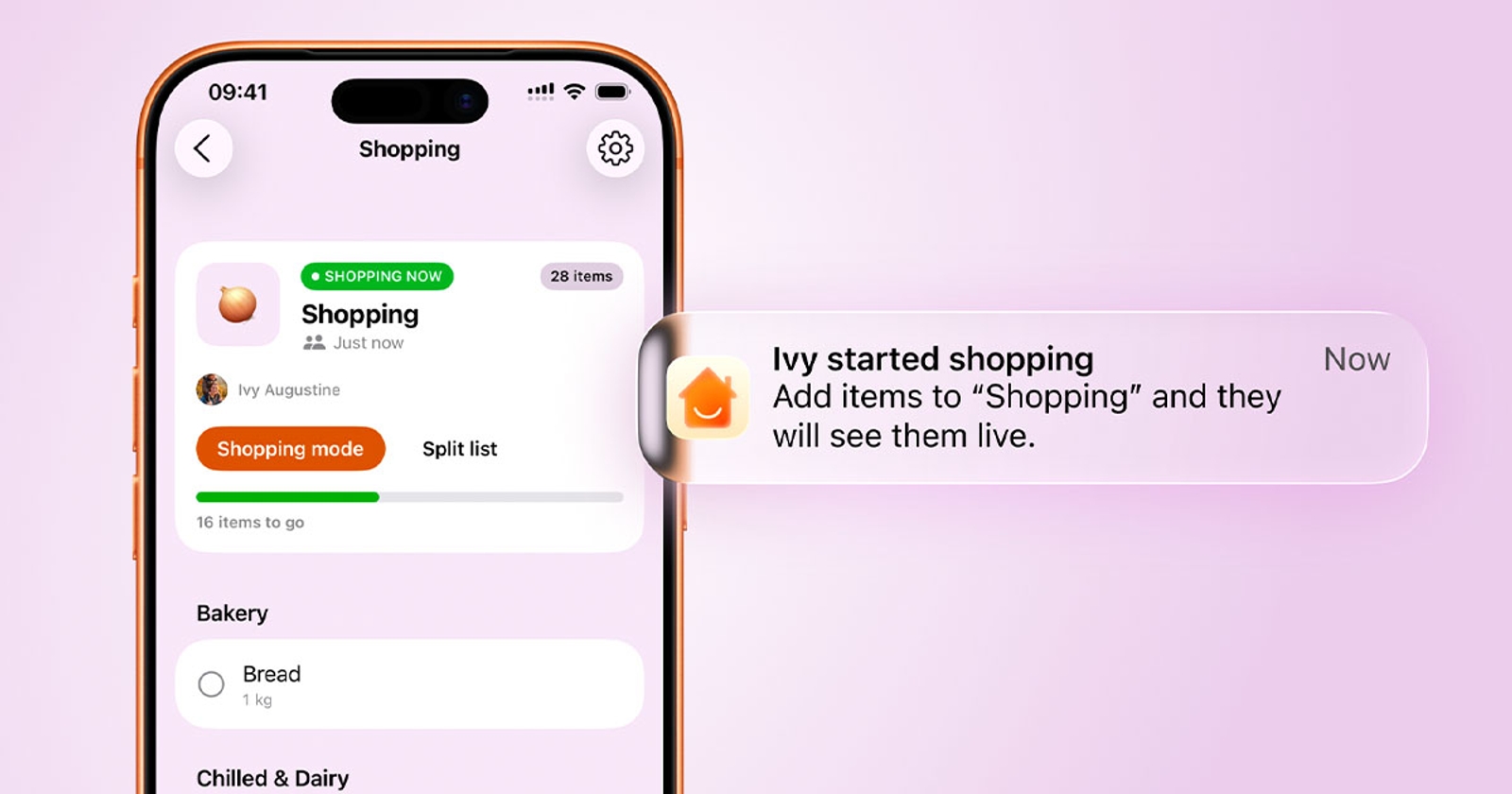
After months of planning, building, polishing, and testing, we are incredibly proud to finally reveal the newest crown jewel of Cuppi: Shopping.
Why Shopping lists?
You might ask: How are Cuppi’s Shopping lists any different from the hundreds of other apps out there? We looked around the App Store and noticed a trend: most grocery apps look outdated, or at very best, just "okay." They lacked spark. So, we fired up Figma and started sketching. We spent weeks obsessing over beautiful designs while carefully researching the security and technical foundations. A month later, our first prototype was born.
Divide and Conquer the Aisles Together
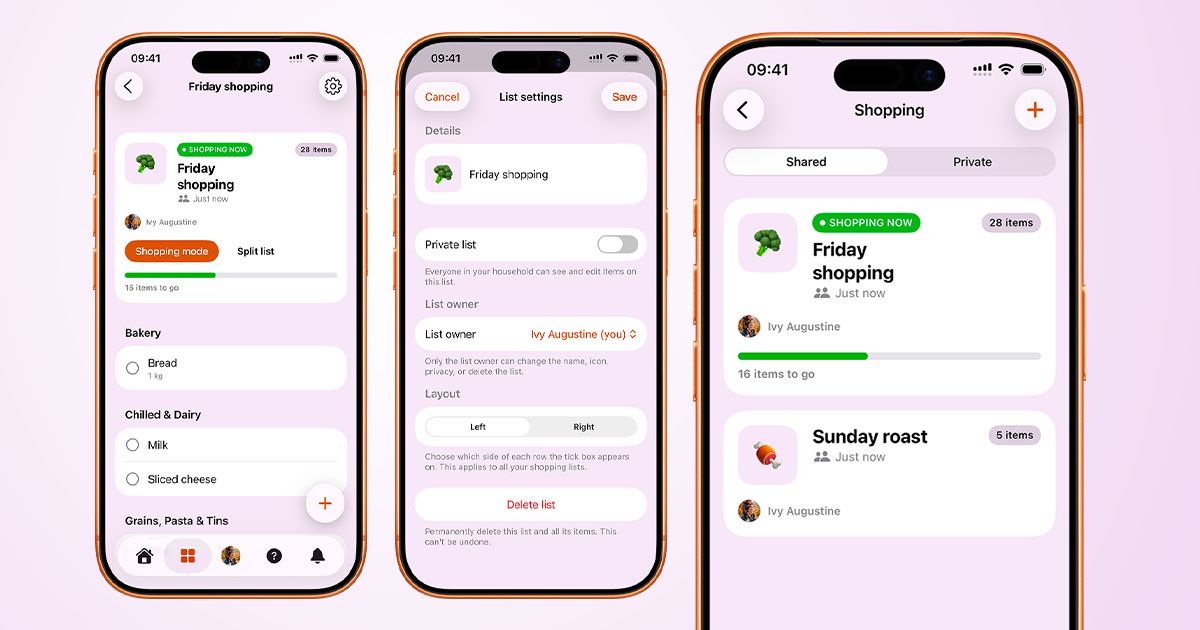
From day one, our main focus was collaboration. We knew the app had to sync data instantly between devices so household members always know who is doing what.
Here is how it works:
- Collaborate: Create a shopping list and let everyone add what they need.
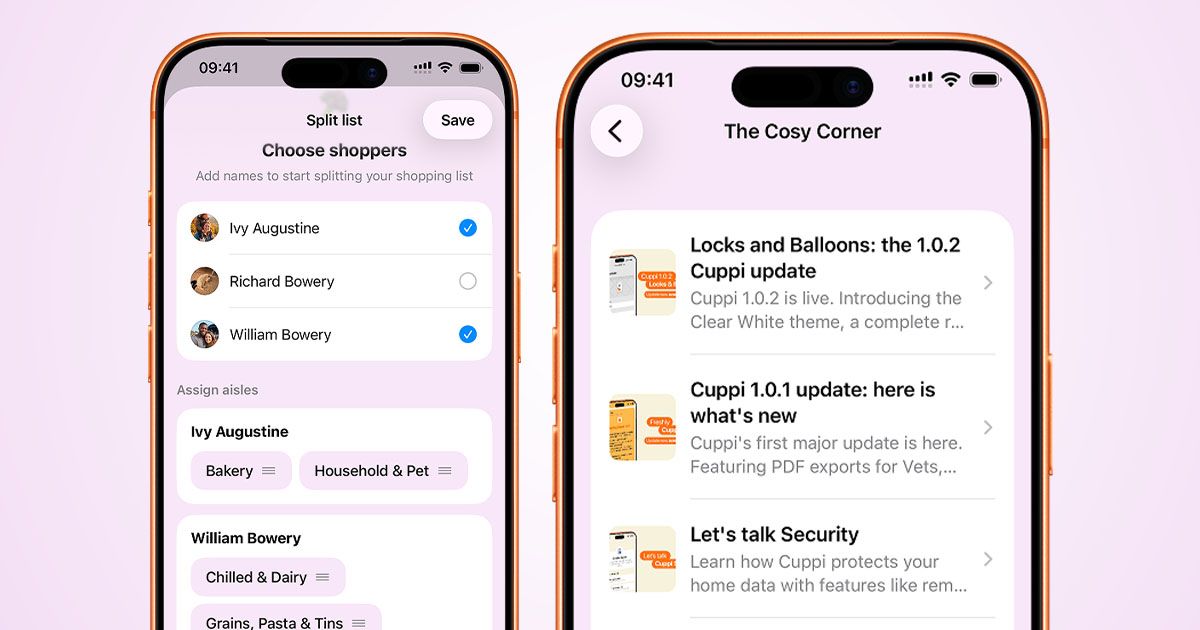
- Split the List: Before heading out, you can "Split" the list with anyone joining you. You can easily assign specific aisles (categories) to yourself and others.
- Activate Shopping Mode: When you hit the store, turn on Shopping Mode. This sends a live notification to your household so they know you’re at the supermarket. They can still add last-minute items live, and a "Shopping Now" tag will appear on the list alongside a real-time progress bar. If you split the list, your assigned items float to the top so you can focus, while the rest of the list sits just a scroll away.
- Wrap it Up: Once everything is ticked off and you exit Shopping Mode, the tag changes to "Shopping Done." Our goal is to involve everyone in the weekly grocery run so the burden doesn't fall on just one person's shoulders.
Convenience We Were Missing
Some apps look pretty but feel clumsy to use in the wild. We decided to flip the script with features built for real life:
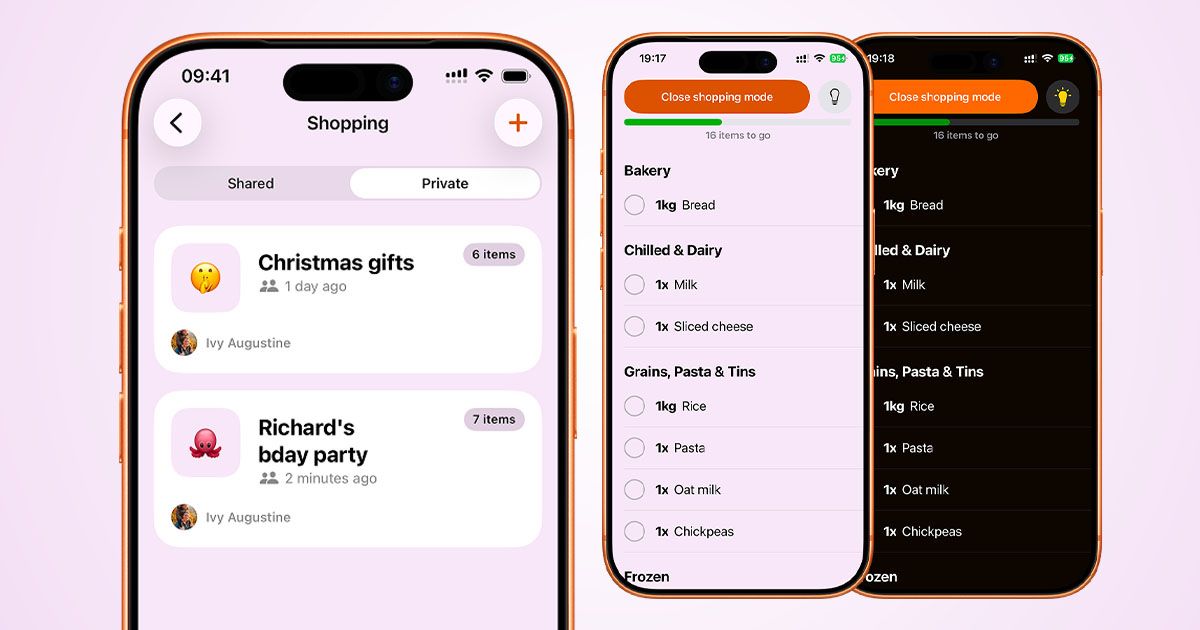
- Lefties & Righties Rejoice: You can choose to position the checkboxes on either the left or right side of your items.
- Always-On Screen: No more constantly unlocking your phone with full hands just to cross off milk.
- Quick Theme Toggle: Shopping at night but need a bright screen to read a label? We put a quick Dark/Light mode toggle right at the top of Shopping Mode.
- Smart Sorting: Cuppi automatically organises your groceries by aisle category so you aren't walking back and forth across the store.
Other Improvements You Asked For
While we were building Shopping, we also squeezed in some highly requested updates across the app:
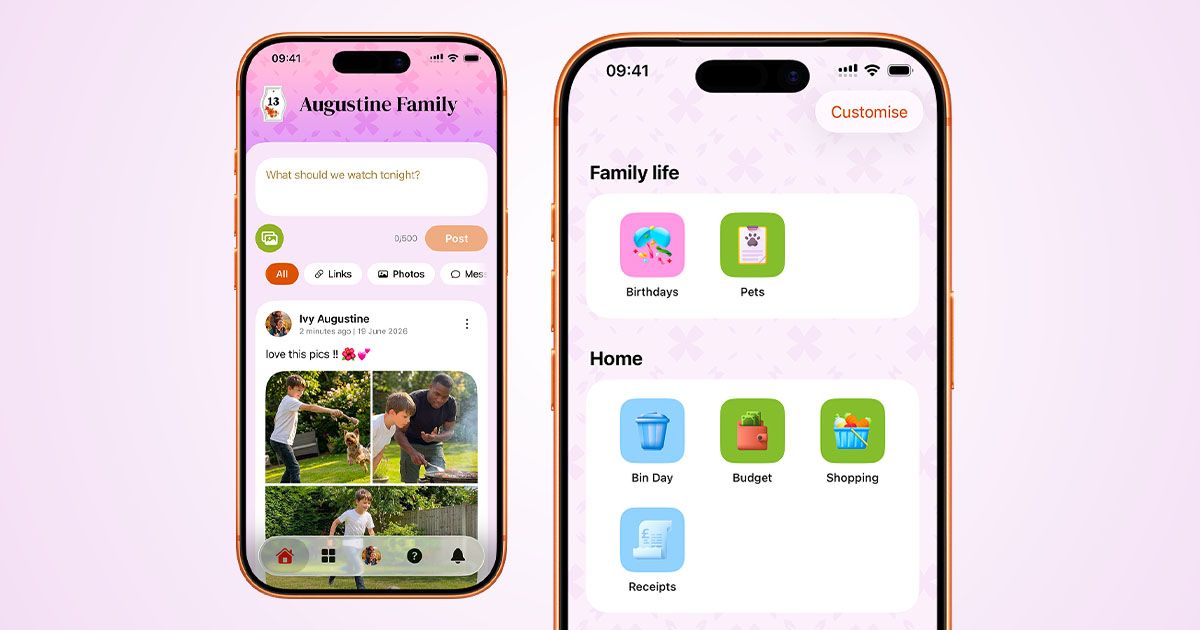
- Multi-Image Posts & Timestamps: You can now post up to 4 images at once in the Home Feed. We’ve also updated posts to show exact timestamps instead of relative time (e.g., "2 hours ago").
- Pets Weight Graphs: see 12 months of your Pet’s weight history on a chart
- True Offline Support: Enjoy reliable, app-wide offline capability. Your data - including Birthdays and Shopping - now loads instantly from a secure local disk cache, even without an internet connection.
- The Cosy Corner Blog: You can now read all the latest Cuppi news directly inside the app! Just scroll down on the Help page to find it.
Something for Everyone: The Free Tier vs. Pro
Staying true to our promise of keeping Cuppi accessible to everyone, we are including nearly all of these features in our generous Free Tier. You can create 1 shared list and 1 private list (with up to 100 items) and use Shopping Mode with almost all of our convenience features.
Want to unlock the full power? Pro Users enjoy unlimited list creation and the exclusive Split List feature.
We hope you love using Shopping as much as we loved building it. Here’s to making the weekly chore a whole lot less excruciating! 🥂
Bin Day v2
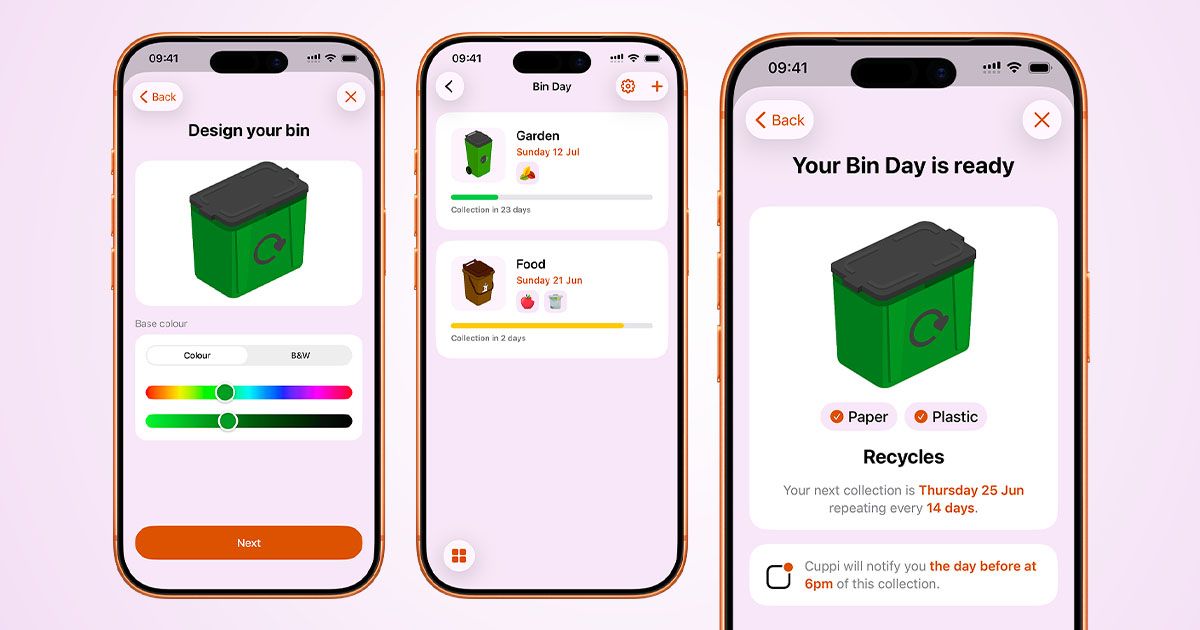
Bin Day received a massive makeover: other than the new, polished interface, you can now design your own bins.
“Why on earth would I want to design my own bins?” - you might be asking.
As we travel around the UK, we noticed there are hundreds of variations of bins on the streets: blue bins, small bins, big green bins etc. There are councils in the UK who are specifically telling you the colour codes, which bin is for what.
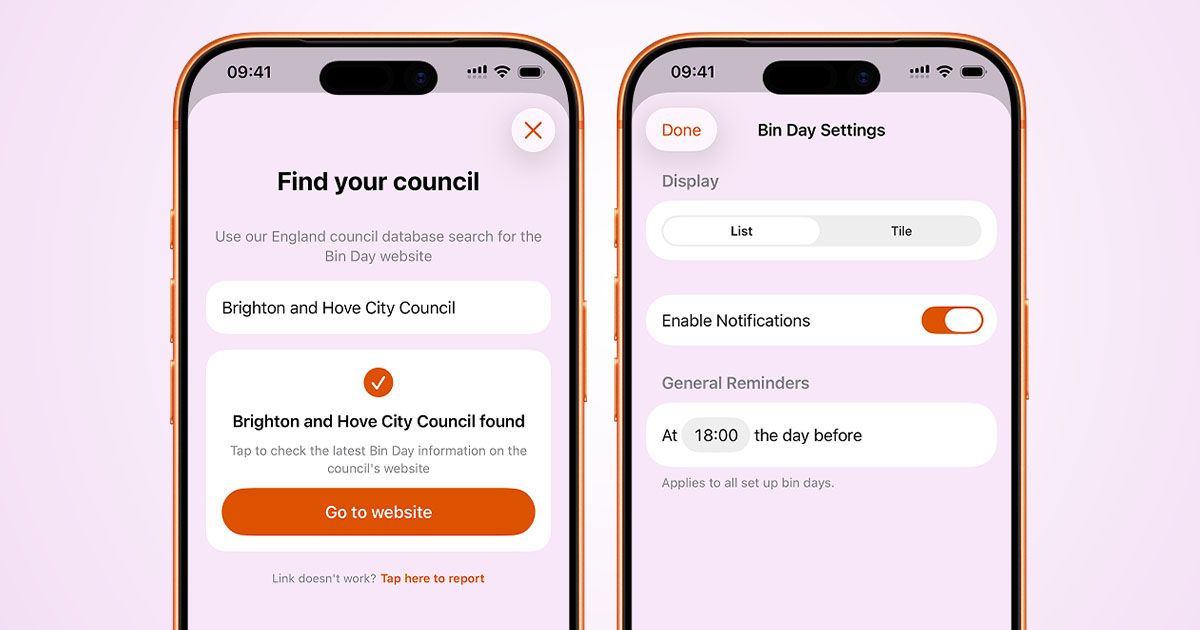
For this exact reason, you are now able to choose your bin colours, sizes and even add stickers to distinguish them from each other.
We will be adding more variations later and we might even make them 3D, so you can give them a good spin.
Download Cuppi for a better shopping experience and a (definitely) unique bin designer 🎉